Deprecated: str_replace(): Passing null to parameter #3 ($subject) of type array|string is deprecated in /var/www/html/wp-content/plugins/myslp-customer-maintenance/include/MySLP_SysAdmin_View_Profile.php on line 275
Reproduction
Login as SA
List Customers
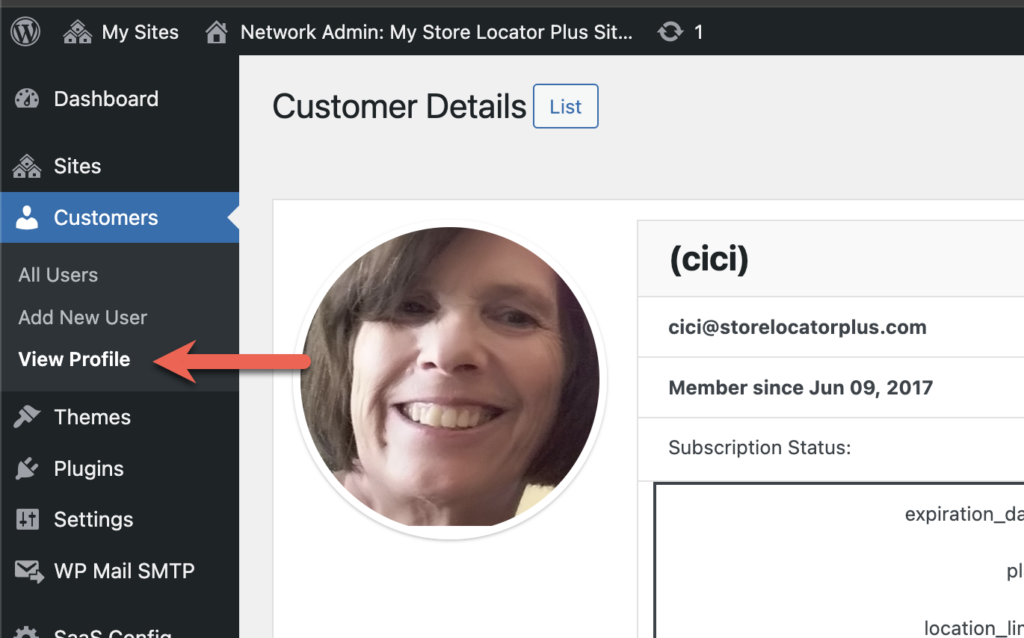
Choose a customer , highlight the row and click “view profile” under the menu.
When the page renders the debug.log entry will show the message above.
Resolution
Stop Gap
A stop-gap measure is in place to default to text “stripe”, but we need to find out why the myslp->User object does not have a payment method set.
[08-Nov-2024 20:28:43 UTC] PHP Warning: Undefined variable $user_blog in /var/www/html/wp-content/plugins/myslp-customer-maintenance/include/MySLP_SysAdmin_View_Profile.php on line 387
[08-Nov-2024 20:28:43 UTC] PHP Warning: Attempt to read property “blog_id” on null in /var/www/html/wp-content/plugins/myslp-customer-maintenance/include/MySLP_SysAdmin_View_Profile.php on line 387
[08-Nov-2024 20:28:43 UTC] PHP Warning: Undefined variable $user_blog in /var/www/html/wp-content/plugins/myslp-customer-maintenance/include/MySLP_SysAdmin_View_Profile.php on line 391
[08-Nov-2024 20:28:43 UTC] PHP Warning: Attempt to read property “path” on null in /var/www/html/wp-content/plugins/myslp-customer-maintenance/include/MySLP_SysAdmin_View_Profile.php on line 391
[08-Nov-2024 20:28:43 UTC] PHP Warning: Undefined variable $user_blog in /var/www/html/wp-content/plugins/myslp-customer-maintenance/include/MySLP_SysAdmin_View_Profile.php on line 393
[08-Nov-2024 20:28:43 UTC] PHP Warning: Attempt to read property “path” on null in /var/www/html/wp-content/plugins/myslp-customer-maintenance/include/MySLP_SysAdmin_View_Profile.php on line 393
[08-Nov-2024 20:41:38 UTC] PHP Warning: Attempt to read property “path” on int in /var/www/html/wp-content/plugins/myslp-customer-maintenance/include/MySLP_SysAdmin_View_Profile.php on line 409
Invalid submenu call
[08-Nov-2024 20:28:43 UTC] PHP Deprecated: strip_tags(): Passing null to parameter #1 ($string) of type string is deprecated in /var/www/html/wp-admin/admin-header.php on line 36
Reproduction
Login as SA
Customers | All Users
Search CiCi
Hover and click profile
errors are in the debug.log
Resolution
Related To Blog ID Not Set
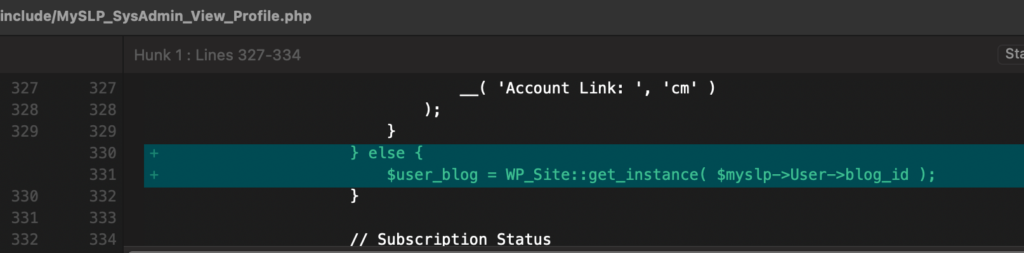
These errors are all related to an issue in the MySLP Customer Maintenance plugin where the $user_blog var was not set to a proper WP_Site object when the user was an SA.
Added a line to fetch WP_Site based on the $myslp->User->blog_id in those cases.
Invalid Submenu Call
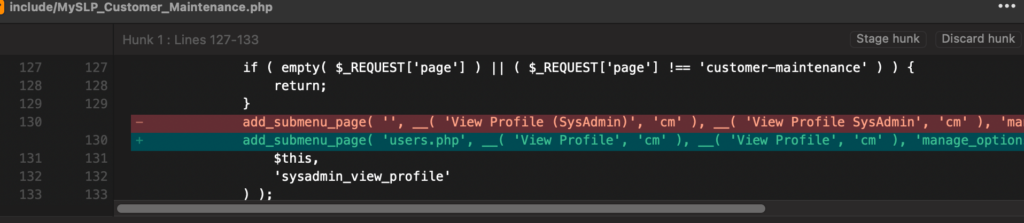
This strip_tags() error is coming from WP core admin functions. Turns out the admin-header rendering expected a call to add_submenu_page to actually name a menu in the first param, not pass ” as a string. Apparently you need to attach all submenus to a parent menu of some kind.
Attached the View Profile admin page to the ‘users.php’ (Customers) menu as a submenu.
Side effect: it now shows “View Profile” under the Customers menu — not sure I like it there.
Go to the staging site (https://staging.storelocatorplus.com)
Login as CiCi
Error
Fatal error: Uncaught TypeError: MySLP::getUserBlogId():
Return value must be of type int, string returned in

/var/www/html/wp-content/mu-plugins/myslp-dashboard/include/MySLP.php
on line 196

TypeError: MySLP::getUserBlogId(): Return value must be of type int, string returned in /var/www/html/wp-content/mu-plugins/myslp-dashboard/include/MySLP.php on line 196
Cause
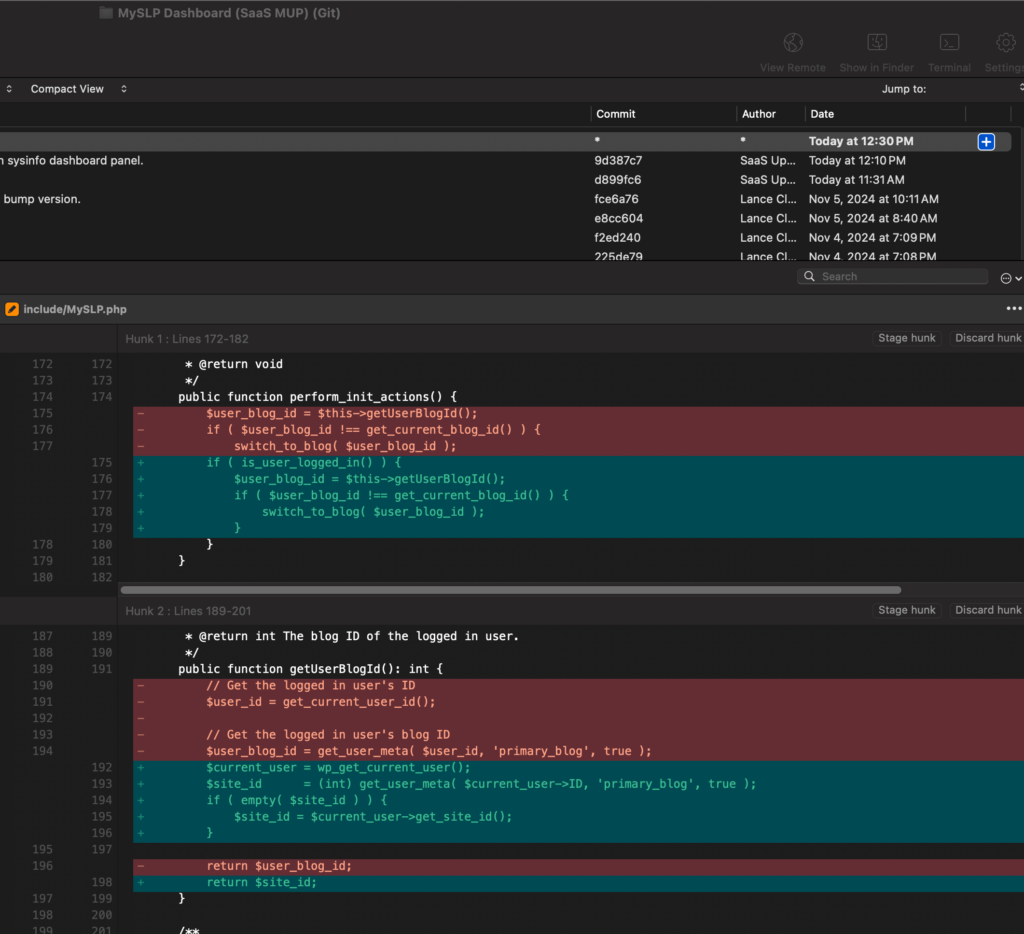
The blog id (site id) for cici does not have a meta ‘primary_blog’ value set.
The bug is specific to SLP employees with elevated privs only.
Resolution
Update MySLP Dashboard getUserBlogId() to default to current_user- site ID if primary blog meta is empty.
Store Locator Plus® is being migrated to an Elastic Container Service (ECS) cluster that is expected to be active Q4 2024. This cluster is to be automatically updated via the myslp_aws_ecs_kit git repo which triggers a CodePipeline build that deploys updates to the cluster.
ECS Cluster
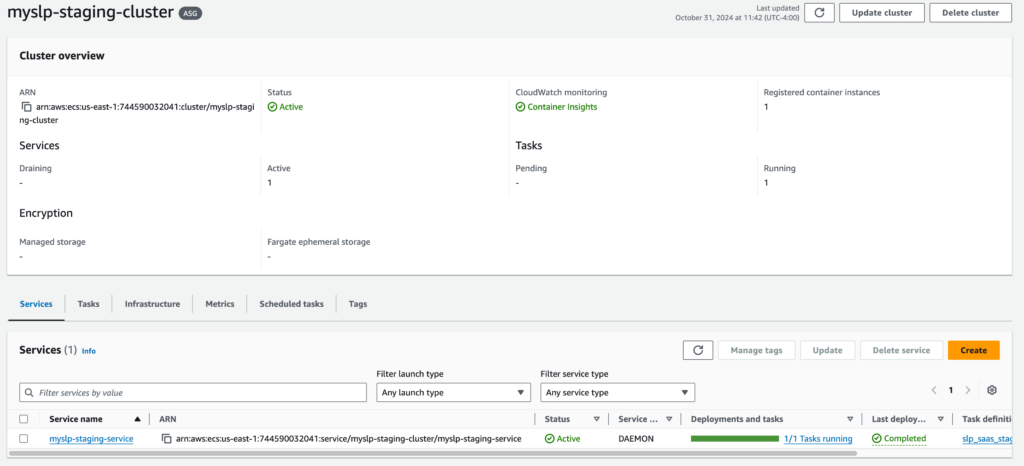
The ECS cluster that is accessed by the pipeline is myslp-ecs-cluster. arn:aws:ecs:us-east-1:744590032041:cluster/myslp-staging-cluster
This cluster is designed to run EC2 instances that host the SLP SaaS containers.
Infrastructure
The instances are managed by the following Auto Scaling Group (ASG):
This provides the compute capacity (EC2 instances here) to run the container service that defined services will use to run tasks.
Auto Scaling Group Details
Should have a minimum capacity of 1.
The group uses the following launch template: lt-07e8f4ebedbe1c2ff
That launch template runs image ID: ami-05a490ca1a643e9ea
It runs on an “gravitron compute” instance which is ARM64 compatible. Currently it runs on a c6g.xlarge.
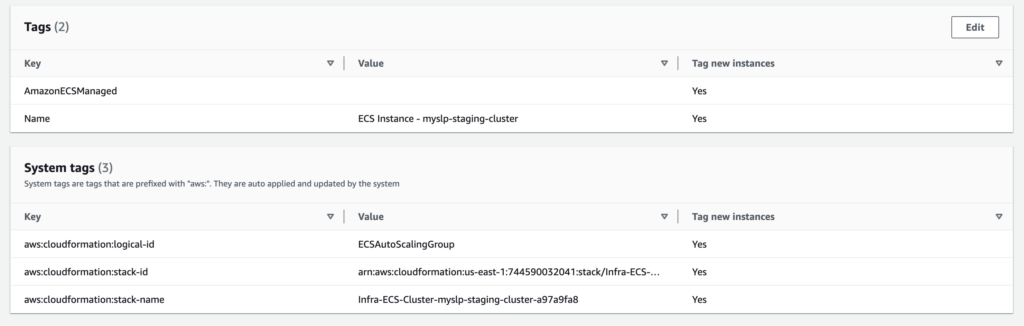
The system tags help associate any resources launched by this ASG with the ECS cluster. The special sauce is in the launch template inline scripts, however.
Launch Template Details
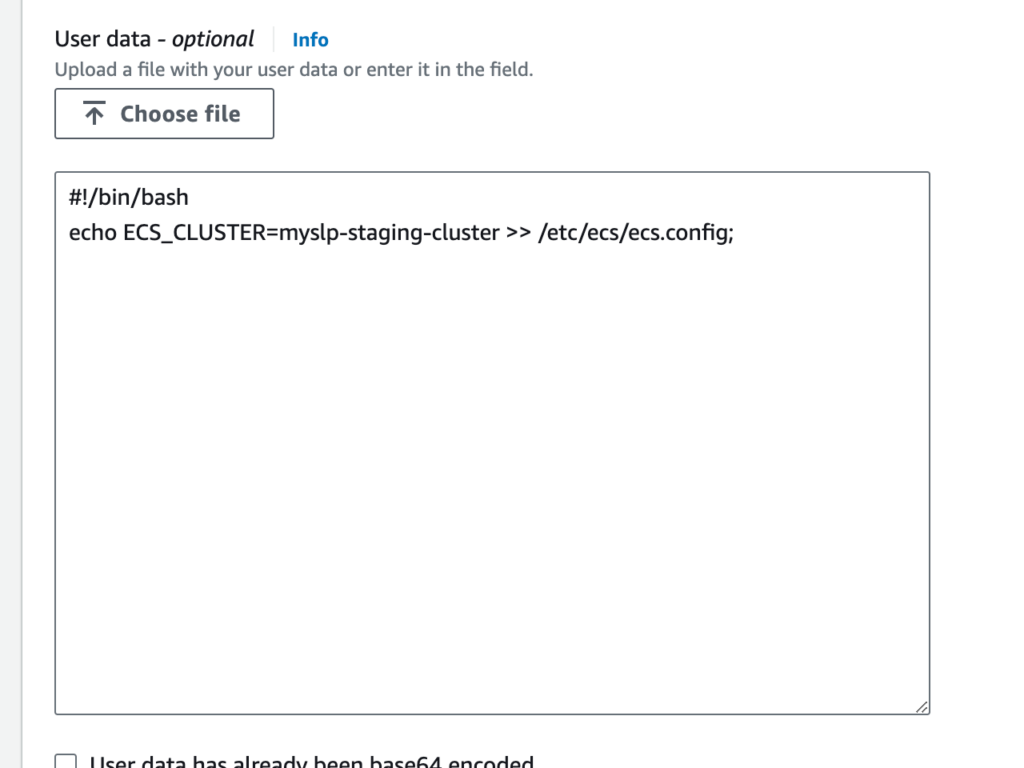
The following “advanced details” in the launch template seem to be what registers any EC2 instances that this ASG fires up with the ECS Cluster:
User data contains scripts or other things that run as soon as the container comes online.
The AMI likely has AWS libraries loaded, one of which is an ECS tool that works with the AWS fabric and reads the /etc/ecs/ecs.config file to figure out how to connect a resource to the cluster on boot or on a daemon service refresh.
Tasks
These are the ECS equivalent of Docker Composer files with added information about what type of container to create.
The task definition on AWS Console for the configuration below is named slp_saas_staging:3 (as of Oct 31 2024). In addition to the environment variables noted below, an addition environment variable is added when creating the task definitions via the console to set the WORDPRESS_DB_PASSWORD environment variable. This is set for the myslp_dashboard database (baked into the ECR image that is built with CodePipeline via the WORDPRESS_DB_NAME environment variable) with a user of myslp_genesis (also per the ECR image in the WORDPRESS_DB_USER environment variable).
From the myslp_aws_ecs_kit repo AWS/ECS/tasks/slp_saas_staging.json
This process is for updating the staging Store Locator Plus® SaaS server running on an ECS cluster after performing code updates.
These processes require a locally installed copy of the MySLP AWS ECS Kit repository which can be found at ssh://git-codecommit.us-east-1.amazonaws.com/v1/repos/myslp_aws_ecs_kit.
Edit your code or deployment kit files first. This can include WordPress plugins or themes, the Docker composer or image builder commands, helper scripts, or various configuration files used to manage and deploy the Store Locator Plus® SaaS container images.
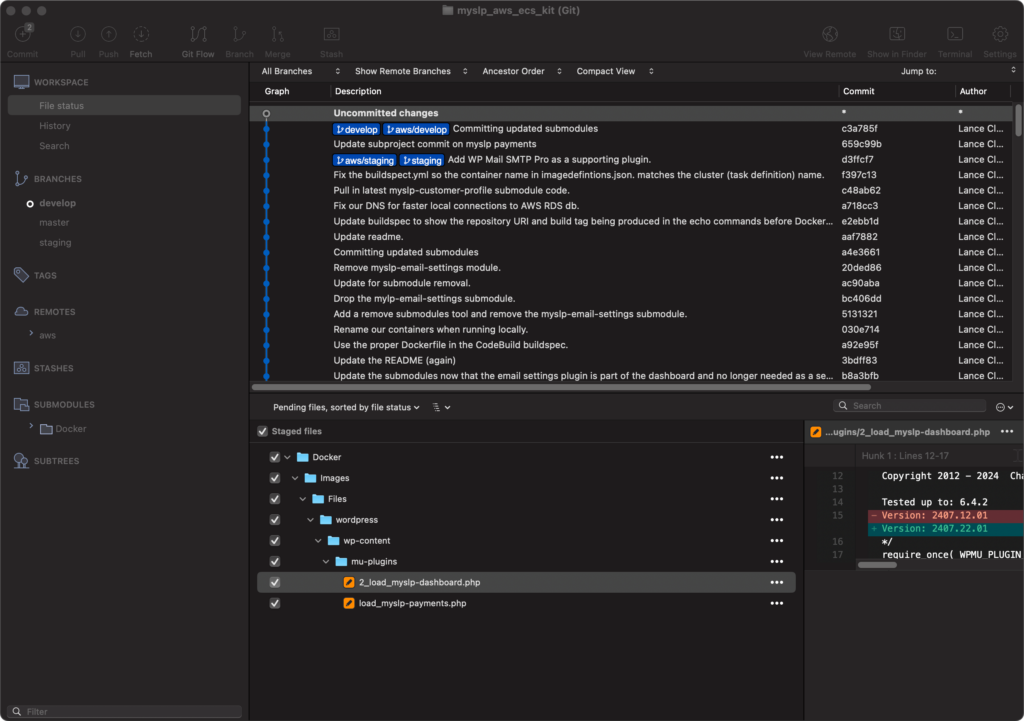
Once your updates are ready, make sure the WordPress stack is up-to-date by updating the submodule links, then commit all of your updates to the MySLP AWS ECS Kit repository on the proper branch. There are AWS CodePipeline services running that will monitor the repository for changes, build any images as needed with ECR and deploy them via the Elastic Container Service if possible. Details on the processes are noted below.
Update The Submodules
From the MySLP AWS ECS Kit git project root:
./tools/create_mustuseplugins_stubs.sh
Commit The Code Updates To The Repo
Commit any changes to the MySLP AWS ECS Kit repository.
When you push the changes from your local develop, staging, or production branch an AWS listener service will detect the code changes and run Code Pipeline tied to services such as CodeBuild and ECS to deploy the final Store Locator Plus® SaaS container in the AWS cloud.
Commits to local branches will not trigger a change in the AWS deployments.
Commits to any branch not specifically named develop, staging, or production will not trigger changes in the AWS cloud deployments.
CodePipeline Notes
The CodePipeline that is configured to deploy the staging containers is named myslp-webserver-staging-pipeline.
Stage: Source
The pipeline monitors the staging branch on the AWS CodeCommit repo for the MySLP AWS ECS Kit project at ssh://git-codecommit.us-east-1.amazonaws.com/v1/repos/myslp_aws_ecs_kit
Stage: Build
The source will be read from the URL above and a series of commands will be executed in the cloud to create an container image. This image is stored in the AWS Elastic Container Registry as a private image.
The Store Locator Plus® SaaS (internal name: MySLP) container images are stored in the 744590032041.dkr.ecr.us-east-1.amazonaws.com/myslp2024-aarch64 docker image repository.
Staging branches will tag the latest build with the :staging tag.
Stage: Deploy
The deploy stage will execute if the build stage completes successfully. This stage will attempt to take the latest myslp2024-aarch64:staging ECR image and launch an active container in the AWS Elastic Container Service.
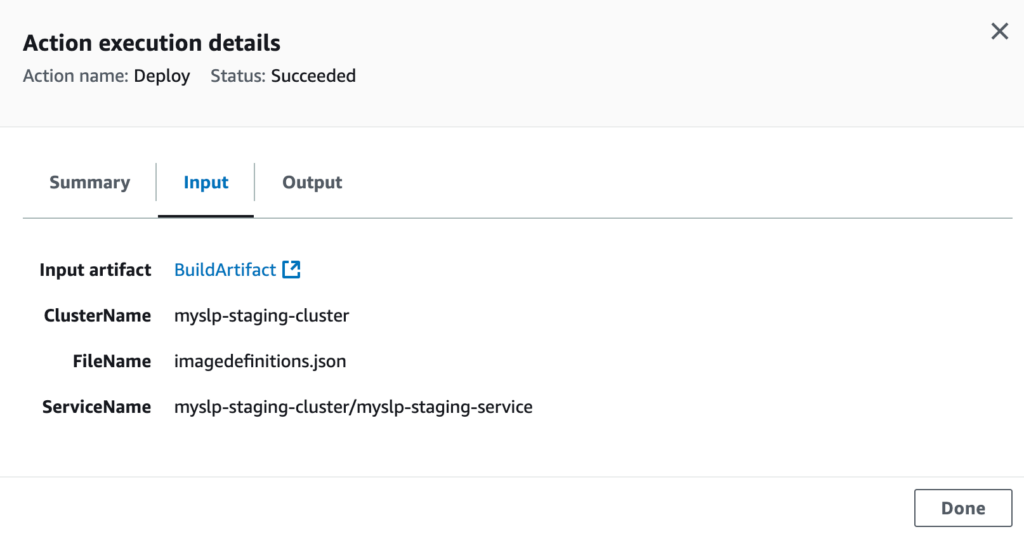
The deploy stage will attempt to launch a running container in the myslp-staging-cluster on the myslp-staging-service service within that cluster.
For local development using composer the Docker/Composers/Secrets/docker-compose-rds-secrets.yml file will have the DB Host URL.
For ECS deployments the URL is in the Task Definition that is being run by the service. After updating the task you will want to deploy it to the ECS Service with Force Deployment and update the running service.
Check The Port
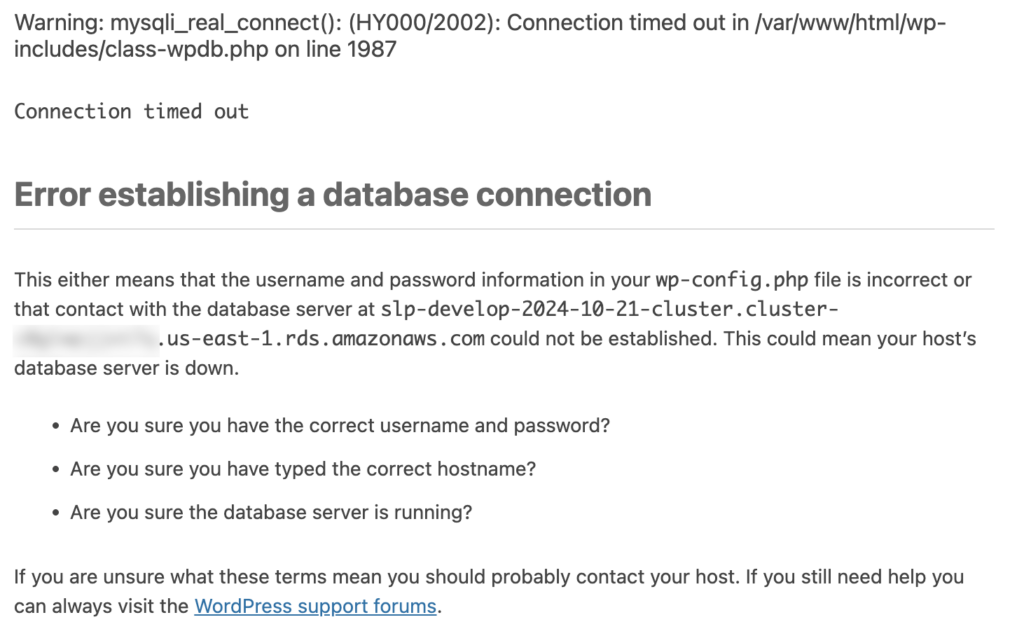
Newer database connections are not connecting on the default MySQL Port 3306 and instead use a different port. Newer systems use port 3309 for the development database server per the RDS database setup example.
Edit the Docker/Composers/Secrets/docker-compose-rds-secrets.yml file and add the port to the end:
cd ./Docker/Images
docker build --platform=linux/arm64 -t 744590032041.dkr.ecr.us-east-1.amazonaws.com/myslp2024-aarch64:develop .
This image is built with a local wildcard certificate for *.storelocatorplus.com.
The domain names it can serve via Apache are defined in 000-default.conf which includes: * local.storelocatorplus.com * test.storelocatorplus.com * dashbeta.storelocatorplus.com * dashboard.storelocatorplus.com
This kit will allow you to not only build the baseline Docker image for MySLP2024 on the ARM64 (aarch64) architecture but it also provides a mechanism for using that image to launch various test environments on your laptop via named projects running a WordPress and MySQL host.
The local execution is managed via the Docker Compose files in ./Docker/Composers all commands should be executed there. Start with this command:
cd ./Docker/Composers
MySLP2024 Baked In
All the code is baked into the myslp2024-aarch64 image.
Data is served from the AWS RDS Dev MySQL server.
docker compose -f docker-compose-myslp2024-core-dev.yml -f Secrets/docker-compose-rds-secrets.yml -p myslp2024_bakedin up -d
MySLP2024 Local Source
Ensures a copy of the WordPress 6.4.2 code is available for debug tracing in ./Guest/wordpress for inline debugging with xDebug.
Overwrites the SLP specific code files with locally mapped files mounted via Volumes.
If the core WordPress database engine has been changed you may need to login as a super admin for the SaaS platform and upgrade the network to ensure all the blog sites (customer accounts) are updated to the latest data structures.