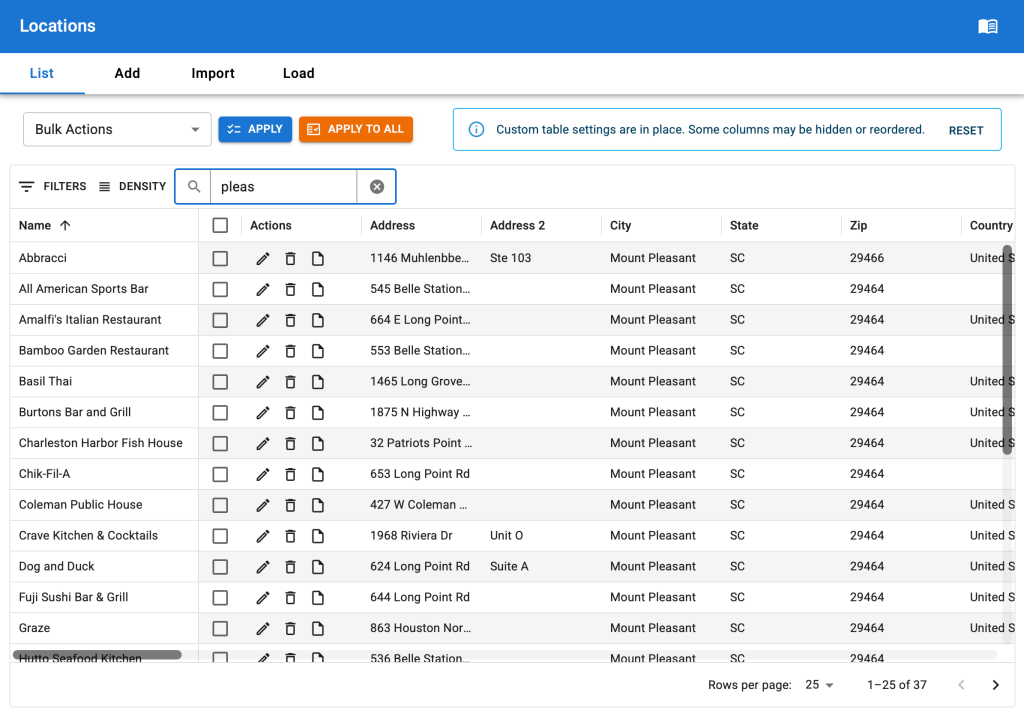
The update from the legacy and very outdated PHP-based WordPress table to modern React based interface design has happened. This is the first iteration with other changes planned in the coming months. Here are some of the updates including some changes from the July release that are already online.
Retooled Quick Search
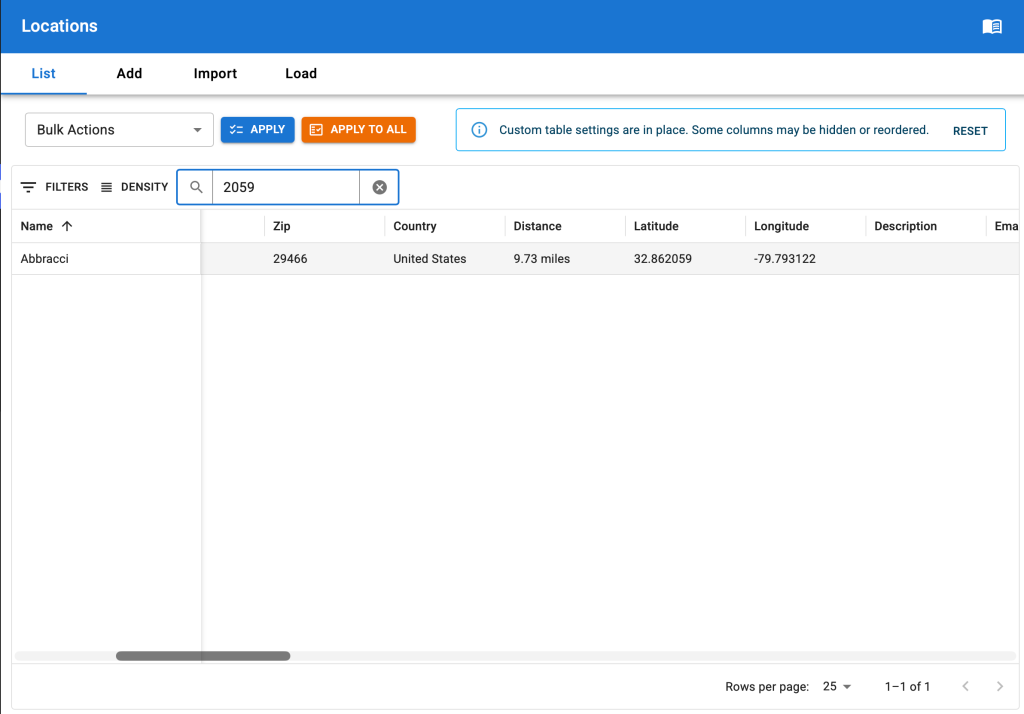
The revised quick search feature.Searching across all fields for the 2059 text (found it in the latitude field in this example).
We’ve completely retooled the quick search feature.
It still searches across multiple fields, but it now searches across all text fields in the location set not only the name and primary address fields. And it is fast. Much faster than past iterations.
Filter Locations
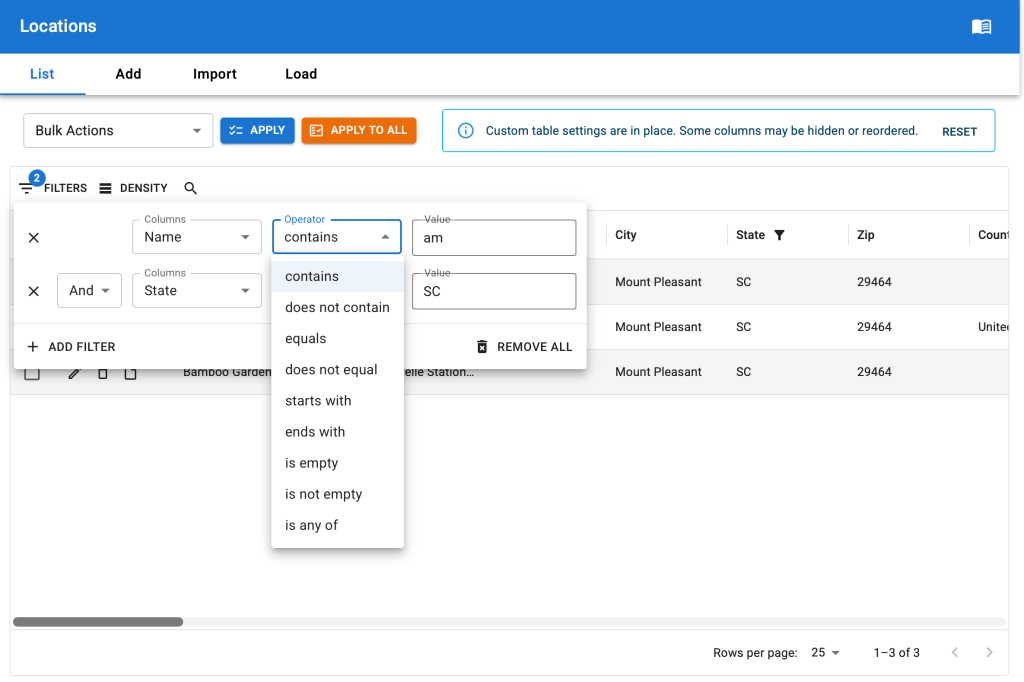
Complex location filters coming in the August 2026 release of SLP.
Complex filters can be built on locations. All of the filters we had with the previous filters drop down menu are still available, plus dozens of additional options.
The filters apply across the entire data set with response times that are vastly improved over the prior versions. Large sets of locations can now be filtered with ease.
Built a wide variety of logic combinations for any location data field.
Data matching options include:
contains | does not contain
equals | does not equal
starts with
ends with
is empty | is not empty
is any of
All fields can be combined with AND or OR logic to display specific locations.
Change The Column Layout
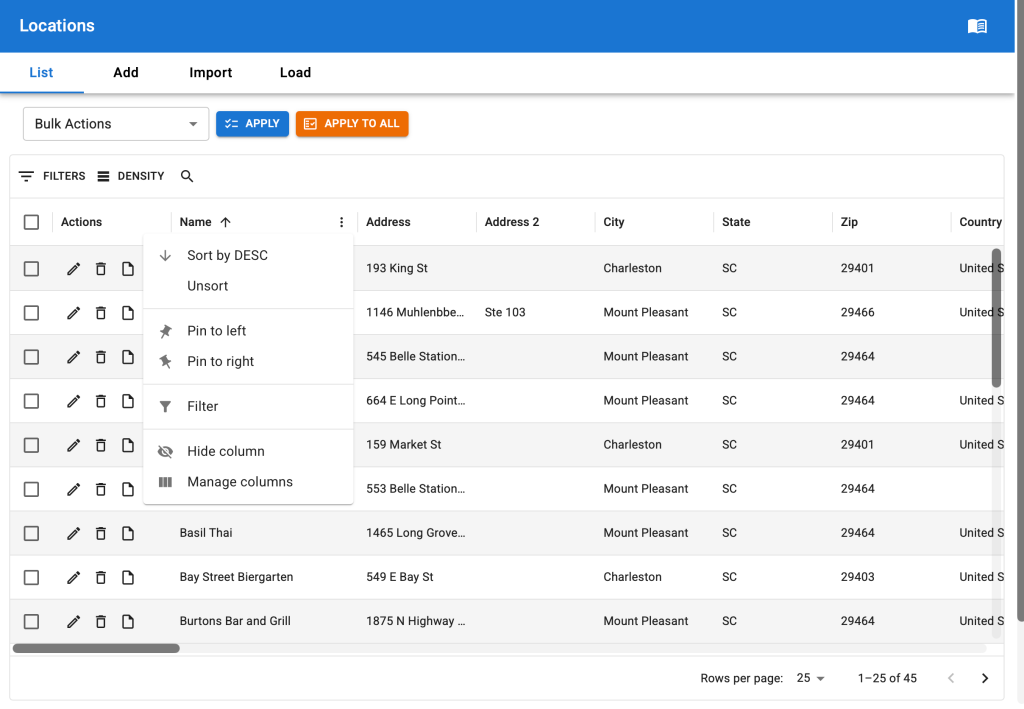
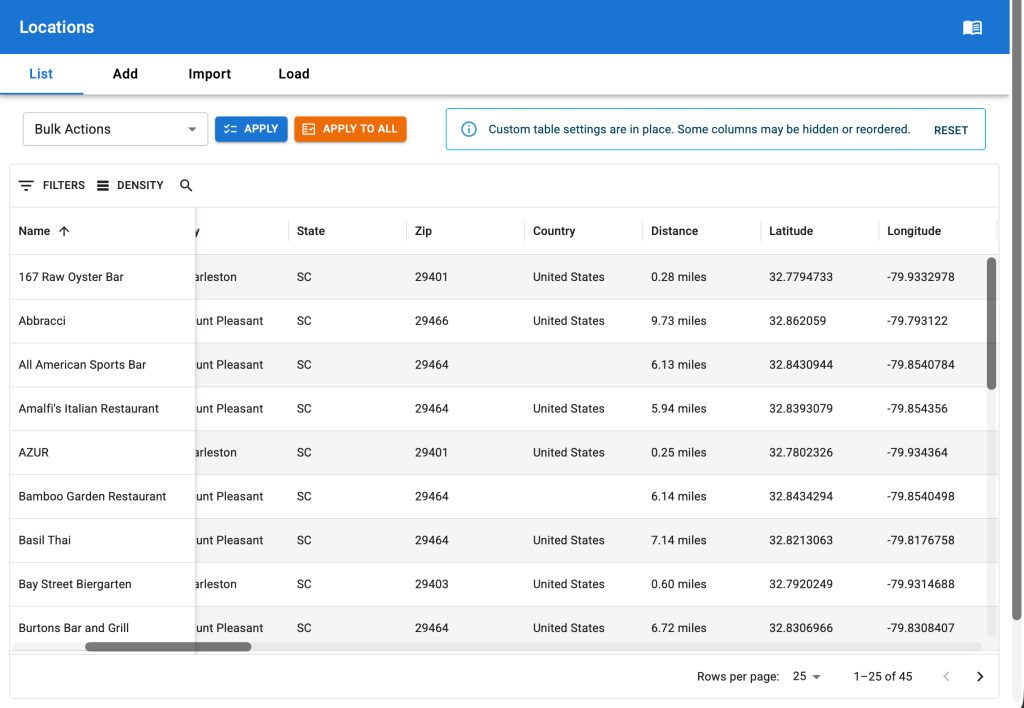
A menu of new column layouts.The name column pinned to the left, the other data scrolls under it.
A myriad of options are now available for how you see your data on the locations list.
Sort columns in any combination.
Drag columns to reorder them.
Pin columns to the left or right of the table.
Hide columns.
The best part is Store Locator Plus® remembers your customization between sessions. No more re-sorting or changing column layouts every time you log back in or visit a different page. We’ve added a notification with an easy reset button in case you ever need to quickly get back to the default layout; Something we’ve found useful when we can’t remember which columns we’ve hidden.
Change The Row Density
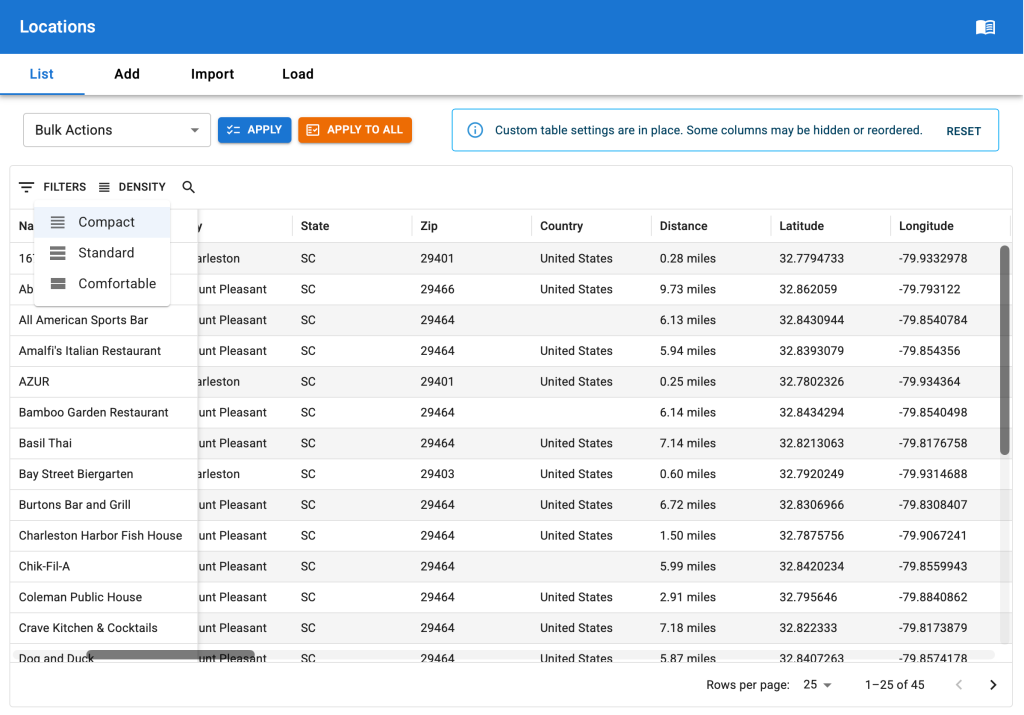
Row density options.
While more row management options (like grouping, ordering, etc.) are coming – for now we’ve given the basic option to set the height of the display with several row density options available: Compact, Standard, and Comfortable.
The core platform has been moved from a proprietary server cluster on Amazon EC2 instances that were self-managed to a container-based platform. This will allow for seamless software updates with minimal downtime during the update process. The previous platform would go into maintenance mode and be unavailable for users for up to 20 minutes when a major software update was performed. The new platform switches software in less than 2 minutes, often with no noticeable downtime for users.
Underlying Core Software Updated
PHP is running on version 8.3.2 which improves security and performance. WordPress, a core element of the SaaS platform, is running 6.4.5 which improves security and fixes multiple bugs related to user session stabilization. MySQL, the core database, is running version 8.x which is faster for most queries.
Locator Styles
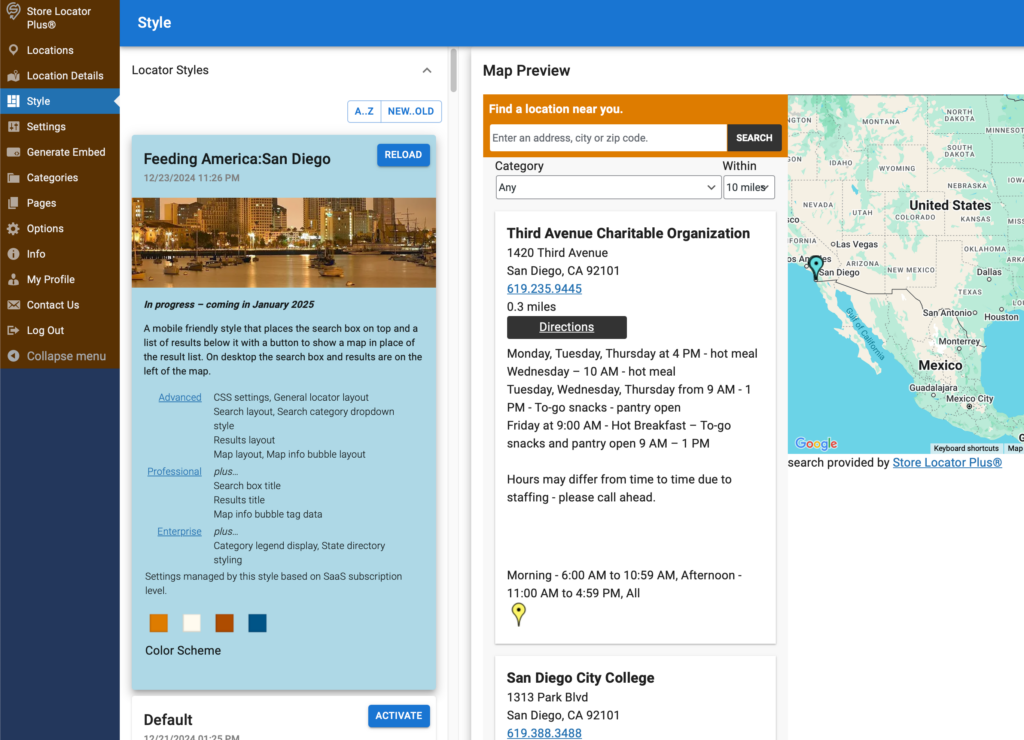
Changing the styles of the Store Locator Plus® interface has been updated to a completely new design. This feature replaces the previous Settings | View | Locator Style interface and now resides in its own top level menu as “Style”.
The SaaS version of Store Locator Plus® will show a preview of the newly selected interface after the settings have been updated. The page will refresh to ensure the encapsulated CSS styling that goes with the new settings is loaded in its entirety.
The new Style Interface for Store Locator Plus® starting in 2025.
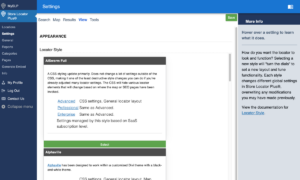
This interface replaces the legacy interface shown below:
The previous locator style interface.
Pages : New Feature
While the generate embed interface helps preview what the map interface may look like on your site, it is often difficult to see the full impact as the page sizes are limited. Users can now create their own test pages to try out a wider variety of page layouts with the embedded map.
The new pages menu appears in the sidebar when a user is logged in.
While we do not restrict the pages at the moment, this is NOT meant to be a full location services or public web hosting option. Please do not direct your general website visitors to pages published on the Store Locator Plus® SaaS platform. This feature can change at any time and is not guaranteed to always be visible to the general public.
Stripe Payment Processing Update
The Stripe payment processing engine has been updated to version 3, a major upgrade — two in fact, since the core Stripe engine was initially implemented in the Store Locator Plus® SaaS platform. This will enable us to extend the subscription renewal and modification system and include automated billing for overages while providing more detailed reports on customer usage in a future release.
Add SaaS Signup Page On SaaS Dashboard
Add a SaaS Sign up page using the latest Stripe V3 JavaScript API on the SaaS dashboard site. This is mostly to enable rapid turn around testing on staging and development servers but will also provide for newer UX updates to the sign up process as well as better account and subscription management through Stripe in the future.
Moved all Store Locator Plus menu entries to reside as top-level entries to reduce the number of user clicks to perform an action. This is the start of the redesign to use a modern React-style top-level design and move away from the shackles of the very outdated WordPress PHP driven interface design.
Ensure the SaaS edition initializes the customer info when starting data I/O, moving the SLP database init to the post WordPress set_current_user hook
2501.XX releases
Fixed an issue with WPSLP generating a null error when performing a new install.
Final removal of all WPML references in SLP, Experience, and MySLP Dashboard.
Force Load JavaScript is not longer supported as it was designed to allow SLP to work with malformed or poorly written WordPress themes.
Info tab on SaaS is removed, it is the main SLP logo menu item now that shows info.
2502.XX releases
Long latitude/longitude entries (over 14 characters total, more than 9 after decimal) would not save, this has been resolved. Maximum lat/lng resolution is 9 precision or about 11cm.
Settings|Search Radius Behavior was showing duplicate entries for Professional and Enterprise users. This was due to an internal code object being duplicated, impacting memory consumption and performance. This has been resolved.
Settings | Tools – minor ux update to align the import/export settings buttons.