0 comments on “Location Details : Replace ReactDOM.render”

Location Details : Replace ReactDOM.render

In JavaScript console on the Location Details page:
Description

[Error] Warning: ReactDOM.render is no longer supported in React 18. Use createRoot instead. Until you switch to the new API, your app will behave as if it’s running React 17. Learn more: https://reactjs.org/link/switch-to-createroot
printWarning (react-dom.js:73)
error (react-dom.js:47)
render (react-dom.js:29680)
(anonymous function) (script.js:101:67958)
Global Code (script.js:101:68032)
0 comments on “Update SLP_Country_Manager To Include All Regions”

Update SLP_Country_Manager To Include All Regions

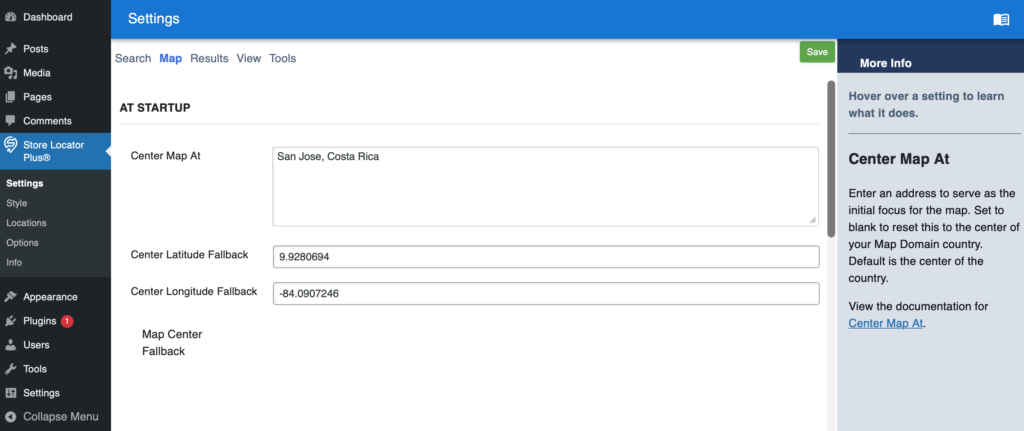
Contains the map and other data that drives SLP for each country.
ccTLD is the region parameter for Google Maps
ccTLD is any of the Unicode region subtag identifiers

See https://developers.google.com/maps/coverage for a list of supported regions, 2D/3D map tiles apply here

\SLP_Country_Manager::load_country_data sets up the list of country meta data for this purpose.
It has not been updated since 2018.

0 comments on “SLP Did Not Initialize On White Black Classic Theme”

SLP Did Not Initialize On White Black Classic Theme

The main locator page with the [slplus] shortcode generates the same message:

“Store Locator Plus® did not initialize properly.”

Reproduction

  • Login as admin
  • Download and Activate the White Black Classic theme by Masino1967
  • Activate the SLP base plugin
  • Add a page and put the [slplus] shortcode on the page
0 comments on “WPSLP Widget Enqueue Script Problem”

WPSLP Widget Enqueue Script Problem

This issue is specific to the WordPress plugin stack and does not affect SaaS installations.

Widget areas are special places on a classic theme that can accept blocks — typically areas like your sidebar or footer. This guide will explain how to use widgets on your website.

Sites using modern block themes do not use widgets, so you won’t find Appearance → Widgets in your dashboard.

Without a theme that supports widgets, the only place you’ll get Appearance -> Widgets support is with the Power add on for the Store Pages “no store page” template. The “no store page” template has not been updated to use blocks instead of widgets.

0 comments on “Foreach loop null attributes in SLP_UI_Shortcode_slp_option.php”

Foreach loop null attributes in SLP_UI_Shortcode_slp_option.php

When testing generate embed for “Freshy” the JS dev tools throws a warning:

[Log] (location.js, line 190)
Warning: foreach() argument must be of type array|object, null given in /var/www/html/wp-content/mu-plugins/store-locator-plus/include/module/ui/SLP_UI_Shortcode_slp_option.php on line 94

As per Foreach loop in SLP_UI_Shortcode_slp_option.php#69

0 comments on “QC Site Cannot Render Staging Embeds”

QC Site Cannot Render Staging Embeds

For some reason embed scripts from the staging test site do not work on QC such as the QC Ice Cream test page. The embeds work on other sites including local Docker developer test rigs, the LanceCleveland.com blog site, and

This issue appears to have been temporary, and may be cause by a Web Application Firewall (WAF) on AWS blocking requests due to too many requests.

The issue is that any staging.storelocatorplus.com URL was coming back as a 404 but only when the request was made from the qc.storelocatorplus.com domain.

We need to keep an eye on this issue.

0 comments on “Accounts With Special Characters Cannot Login”

Accounts With Special Characters Cannot Login

Related to SLP Project issue: Cullgroup fatal error viewing dashboard (or logging in)#66

System log error.

[Tue Jan 20 16:44:46.077513 2026] [core:error] [pid 59] [client 127.0.0.1:47176] AH00124: Request exceeded the limit of 10 internal redirects due to probable configuration error. Use ‘LimitInternalRecursion’ to increase the limit if necessary. Use ‘LogLevel debug’ to get a backtrace.

0 comments on “Power : Store Pages Not Working”

Power : Store Pages Not Working

Store Pages interfaces are not invoked.

Reproduction

Requires Power add on to be active.

  • Login as admin on WordPress (WP) site.
  • Go to Store Locator Plus® | Options
  • Enable Pages
  • Go to Store Locator Plus® | Locations
  • Choose Pages, Create from the bulk actions drop down menu
  • Click “to All” next to that menu

Issues

  • There is no “Pages” list in the sidebar
  • Each location shows a page attached, but if you scroll over to the Pages URL column on the location list page, view or edit does not work.
  • Edit brings up this error:
    Sorry, you are not allowed to edit posts in this post type.
0 comments on “Updating SLP version wipes out Google API Key”

Updating SLP version wipes out Google API Key

With the WordPress plugin, if you update the version of SLP the Google API key is erased.

This likely impacts other settings as well.

Reproduction

  • Login to admin on localhost (Docker dev container)
  • Go to Store Locator Plus | Options
  • Add a Google API key
  • In the code update wp-content/plugins/store-locator-plus/store-locator-plus.php and change the version
  • Reload the options page

The Google API keys are blank.

0 comments on “Google Maps Should Load Async”

Google Maps Should Load Async

When testing a Store Locator Plus® for WordPress setup with the base plugin and Premier plugin active…

Google Maps JavaScript API has been loaded directly without loading=async. This can result in suboptimal performance. For best-practice loading patterns please see https://goo.gle/js-api-loading