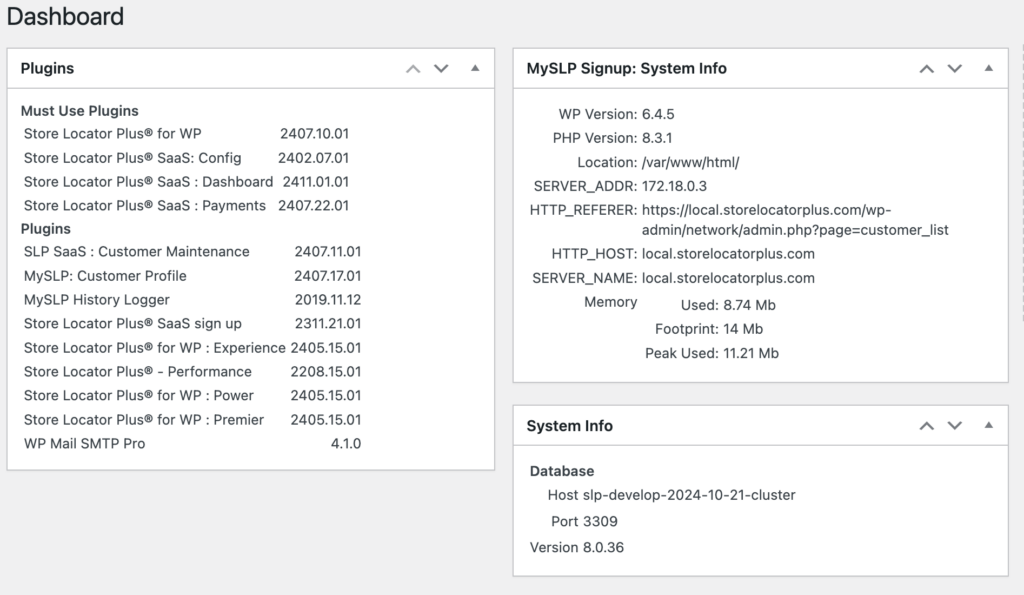
We use a 20-site pro license to manage email on the new server clusters via the WP Mail SMTP Pro service.
You will need to network activate the plugin and get the site license key to enable it.
Use Amazon SES service to send email. To configure you will need the Access Key and Secret Access key to set this up. These are in Lance’s password manager app — or you will need to create a new identity under the storelocatorplus.com domain in SES and create a new key pair.
For local development using composer the Docker/Composers/Secrets/docker-compose-rds-secrets.yml file will have the DB Host URL.
For ECS deployments the URL is in the Task Definition that is being run by the service. After updating the task you will want to deploy it to the ECS Service with Force Deployment and update the running service.
Check The Port
Newer database connections are not connecting on the default MySQL Port 3306 and instead use a different port. Newer systems use port 3309 for the development database server per the RDS database setup example.
Edit the Docker/Composers/Secrets/docker-compose-rds-secrets.yml file and add the port to the end:
cd ./Docker/Images
docker build --platform=linux/arm64 -t 744590032041.dkr.ecr.us-east-1.amazonaws.com/myslp2024-aarch64:develop .
This image is built with a local wildcard certificate for *.storelocatorplus.com.
The domain names it can serve via Apache are defined in 000-default.conf which includes: * local.storelocatorplus.com * test.storelocatorplus.com * dashbeta.storelocatorplus.com * dashboard.storelocatorplus.com
This kit will allow you to not only build the baseline Docker image for MySLP2024 on the ARM64 (aarch64) architecture but it also provides a mechanism for using that image to launch various test environments on your laptop via named projects running a WordPress and MySQL host.
The local execution is managed via the Docker Compose files in ./Docker/Composers all commands should be executed there. Start with this command:
cd ./Docker/Composers
MySLP2024 Baked In
All the code is baked into the myslp2024-aarch64 image.
Data is served from the AWS RDS Dev MySQL server.
docker compose -f docker-compose-myslp2024-core-dev.yml -f Secrets/docker-compose-rds-secrets.yml -p myslp2024_bakedin up -d
MySLP2024 Local Source
Ensures a copy of the WordPress 6.4.2 code is available for debug tracing in ./Guest/wordpress for inline debugging with xDebug.
Overwrites the SLP specific code files with locally mapped files mounted via Volumes.
If the core WordPress database engine has been changed you may need to login as a super admin for the SaaS platform and upgrade the network to ensure all the blog sites (customer accounts) are updated to the latest data structures.
Smart Options via the SLP_SmartOptions class (include/module/smartoptions/SLP_SmartOptions.php) handles nearly all of the settings (options in WordPress parlance) for the Store Locator Plus® plugin.
Methods
get_ValueOf( <property:string> )
Get the value of a Smart Option.
Check if a given property exists and return the value.
@param string $property The property to check.
@return bool Returns true if the property exists and is not null, and its 'is_true' property is true. Otherwise, returns false.
is_true( <property:string)
Check if a given property is true. @param string $property The property to check. @return bool Returns true if the property exists and is not null, and its ‘is_true’ property is true. Otherwise, returns false.
if ( SLP_SmartOptions::get_instance()->is_true( 'use_territory_bounds' ) ) {
$this->add_territory_bounds();
}
We are going to move away from manually-executed grunt tasks via the wp-dev-kit repository and move toward an AWS implemented solution. We are going to leverage AWS developer tools to get the job done.
The general process is that you work on code and merge it into the develop branch of the store-locator-plus repository on CodeCommit (the main upstream source). When that code is deemed “ready for testing” the repo manager will merge the develop branch into the staging branch for the repository. CodePipeline should see the change to the staging branch in the repo and fire off the build and deployment processes.
CodeCommit
The repo, and now official “source of truth” for the SLP code and build kit repositories.
The build manager that will compile , minify, clean, and otherwise manipulate the stuff in the main SLP repo and prepare it for release. In this case a staging release of the WordPress plugin .zip file.
CodePipeline
Watches the main SLP repo for changes on the staging branch and fires off the CodeBuild execution when that happens.
Note that the CodePipeline takes over the artifact generation output and will dump the final output artifact store-locator-plus.zip into a different CodePipeline specific bucket. This is NOT the same bucket that is specified in the CodeBuild configuration.
Deploy
This is a setting in CodePipeline, NOT a CodeDeploy project, that copies the output artifact (store-locator-plus.zip) from the private CodePipeline artifacts bucket over into the storelocatorplus/builds/staging bucket.
S3 Buckets
This process uses S3 buckets to store build and pipeline artifacts.
The deployment process uses a public web endpoint (HTTP, non-secure) to store the final output artifact alongside some other SLP “goodies”.
The phpDocumentor tool is used to generate the docs via a Docker image. You will need Docker installed to generate the docs.
In the main plugins directory (~/phpStorm Projects/WordPress/wp-content/plugins) drop in the following phpdoc.dist.xml file. This version will generate documentation for the SLP and Power add on in a single HTML subsite.
The locator layout should be able to set any setting in SLP.
The Default Locator Style was updated to change “label_phone” from “Phone” to “Phone ” on the main Store Locator Plus® site (this is managed in the Premier Services plugin).
Problem
Setting the label_phone with a space at the end is not making it to the settings on a user site. It appears as though trim() is being called when the data is recieved.
Research
Cannot reproduce after fixing some JavaScript errors on the admin processor.
The process that happens when a plugin is updated, especially the conversion of pre-existing options to SLPlus options / options_nojs serialized JSON objects.
In older releases , including some vestiges that still existing in 2209.X versions, options were stored in a WordPress option_name that match the plugin name. Such as option_name ‘slp-power’ for the power add on. Each add on had its own set of options.
When Smart Options were introduced into the SLP architecture there were two options that stored “all settings”. csl-slplus-options (aka “options”) stores settings that were not being localized and sent to JavaScript. csl-slplus-options_nojs (aka “options_nojs”) are the settings that are not localized. (In theory… both of these will be replaced with a single monolithic store in csl-slplus-options eventually and specific settings retrieved from JavaScript via a REST call).
The idea was to eventually (soon?) convert all separate plugin-specific option settings like option_name = ‘slp-power’ into a standard csl-slplus-options string. Below is the flowchart that describes how that conversion happens.