/wp-content/plugins/myslp-dashboard/panels/myslp-locations.php — ensured server-rendered labels and help text align with new wording.
/wp-content/plugins/myslp-dashboard/assets/scripts/locations.js — compiled bundle reflecting the label change.
/wp-content/plugins/myslp-dashboard/assets/scripts/locations.min.js.map — updated source map for debugging.
File: Starting 2508.29.html
Store Pages Update — Menu Attach + UX
2025-09-16 → 2025-10-01
This block consolidates the Store Pages work from the 2509.16 Pages Update and the subsequent 2510.01 Pages Menu UX Update.
2509.16 — Findings and Activation Path
Verified the Enable Pages toggle (SmartOptions::is_true('use_pages')) drives SLPPower->using_pages.
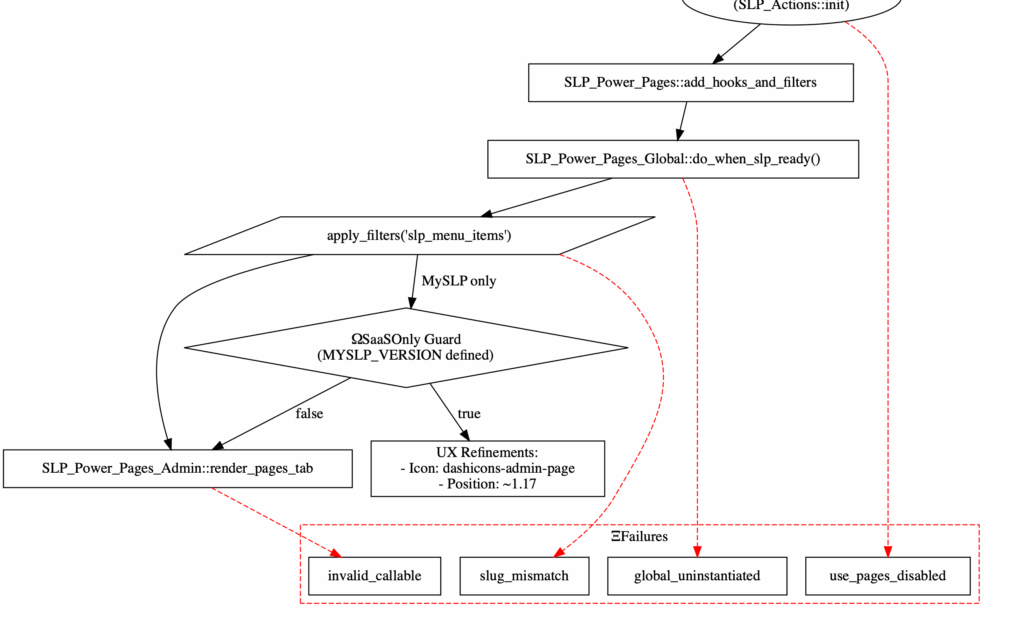
Confirmed submenu injection via slp_menu_items filter when Pages are active; callable render_pages_tab provides UI.
Documented the hook chain ensuring the tab appears after SLP init and under the correct parent.
2510.01 — MySLP Sidebar UX
In SaaS only, “Pages” now renders between Categories and Options (position 1.17).
Icon set to dashicons-admin-page for consistency with WordPress Pages.
Behavior for the WordPress plugin remains unchanged.
Files: session changes scoped to SaaS menu rendering via the slp_menu_items pipeline; placement/icon respected by the admin menu builder.
Summary
This document begins tracking all updates and discussions initiated under the marker “2509.16 Pages Update.”
It includes recorded details about the WordPress environment, plugins in use, and other relevant information
for debugging, code improvements, and other development tasks related to Store Locator Plus®.
Issue context: In the Power add-on, the “Enable Pages” option (Options → HTML panel → App) has field ID
options_nojs[use_pages]. This value is stored in the WordPress wp_options table under
option name csl-slplus-options_nojs as a serialized key/value pair, using the key
use_pages. When use_pages is true (stored value 1), the system should
render a Store Pages submenu under the main Store Locator Plus menu. This is currently not
happening and is the focus of this update.
Provides render_pages_tab() which renders the Pages admin UI.
Core menu attachment: store-locator-plus/include/module/admin/SLP_Admin_UI.php
create_admin_menu() collects menu entries via the slp_menu_items filter and, on classic WP installs, calls add_submenu_page() with the parent slug SLPLUS_PREFIX.
Parent menu slug definition: store-locator-plus/include/base/loader.php defines SLPLUS_PREFIX as csl-slplus.
Potential reasons the Pages submenu may not render
use_pages evaluates false: $power->using_pages is false, so add_pages_tab() returns without appending the menu item.
Filter not initialized: The SLP_Power_Pages_Global class may not be instantiated when using pages; ensure its initialize() runs after slp_init.
Parent menu slug mismatch: If the main menu parent slug changed from csl-slplus, items added via slp_menu_items would attempt to attach to the wrong parent. Current core uses SLPLUS_PREFIX which equals csl-slplus.
Admin pages controller not present: If $power->admin->pages is not constructed, the callable may be invalid and WordPress could skip the submenu.
Conclusion: The Pages submenu is added by the Power add-on via the slp_menu_items filter (in SLP_Power_Pages_Global::add_pages_tab) and attached by core SLP in SLP_Admin_UI::create_admin_menu under the parent slug csl-slplus. Verify use_pages is true and that the parent slug has not changed.
Environment
Site URL: http://localhost
Store Locator Plus®: 2508.20.01
Power: 2506.30.01
SLP Network Active: No
WordPress Version: 6.8.2
WordPress Memory Limit: 40M
WordPress Max Memory Limit: 256M
PHP Version: 8.3.1
PHP Memory Limit: 128M
PHP Post Max Size: 64M
PHP Peak RAM: 6 MB
MySQL Version: 8.3.0
Installed Plugins
Primary Plugin: Store Locator Plus® (store-locator-plus)
Until we get the full Stripe interface updated to the latest 2025 libraries and UX designs (Q2 2025 we hope)…
Customer Needs To Change Payment Method
BEFORE the subscription expires and is canceled…
Login to our Stripe Dashboard
Go to Subscriptions on the left menu
Find the customer or subscription (can use customer ID, subscription ID, email, etc.)
Click the … action button and click Share Payment Update Link
That will email the customer a link from the Stripe site to update payments for their subscription (which will attach to MySLP automatically… we don’t keep ANY payment info).
Expired subscription we need to fix/extend
Too late to do the above steps?
Login to our Stripe Dashboard
Go to Subscriptions on the left menu
Click the Create Subscriptions button on the top right
Attach to the customer we need to reinstate
For duration pick 1 Cycle : this is important otherwise they get a “forever subscription” by default
Pick the same product/subscription level they had
You may need to type the name “Enterprise” or “Professional” or “Advanced” to see it on the drop down, then click the product / price on the list that appears.
Click Create subscription
This will email the customer a payment / invoice link to get the subscription updated. They should be Able to add a new payment method.
This will also create a temporary subscription for the default cycle (1 month out), essentially giving them a free month to update their payment info etc.
Now you need to get their new subscription ID to put in the MySLP system:
Go to Subscriptions
Look for the new subscription, it should have a status showing it will cancel soon (as they likely have not paid yet)…
Click on the STATUS column to see the subscription details
DO NOT click on the “view subscription” action item as it will only go to the SCHEDULED subscription which has a bastardized subscription ID that is useless to us. If the subscription ID has _sched_ in the name DO NOT USE IT. (see image below for example).
If you click on the status column you should see a normal subscriptions page with details about the customer, subscription, etc.
Copy the subscription ID, it should start with sub_1**** (or another digit possibly but NOT sub_sched_****).
Go to the MySLP dashboard
Find the customer
Edit the customer
Scroll down to the bottom
Record the existing subscription ID information in customer notes (Help Scout, Google Sheets tracking doc, etc.)
Paste the subscription ID from Stripe and save it.
Within 10 minutes or so the subscription should update and the customer account/MySLP subscription should be reactivated. You may need to visit the customer site and pull up the map to force it to re-read the subscription ID ; If you do this the first attempt may show expired. Wait 2 minutes then reload the map page.
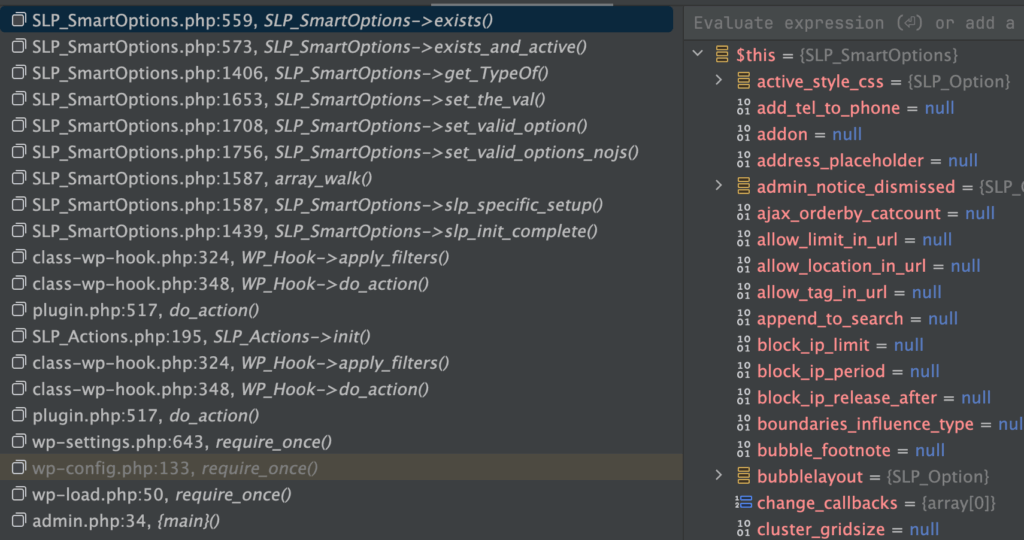
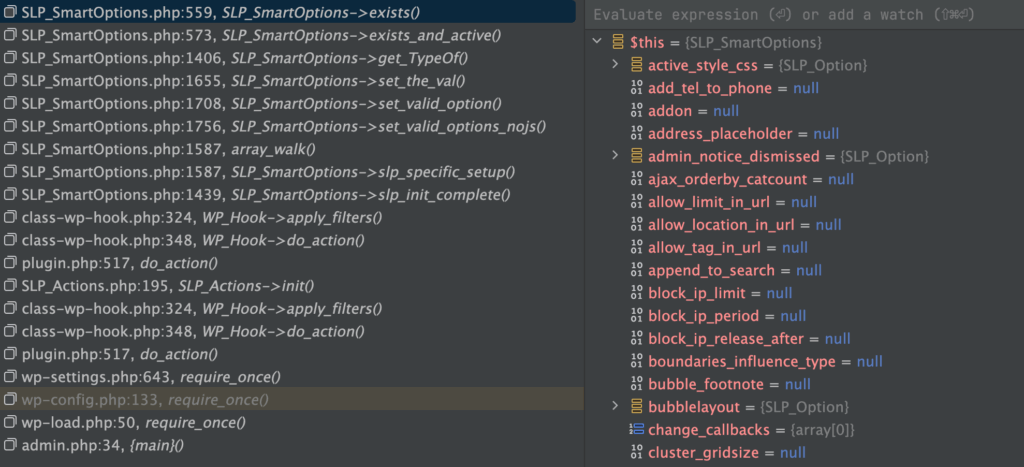
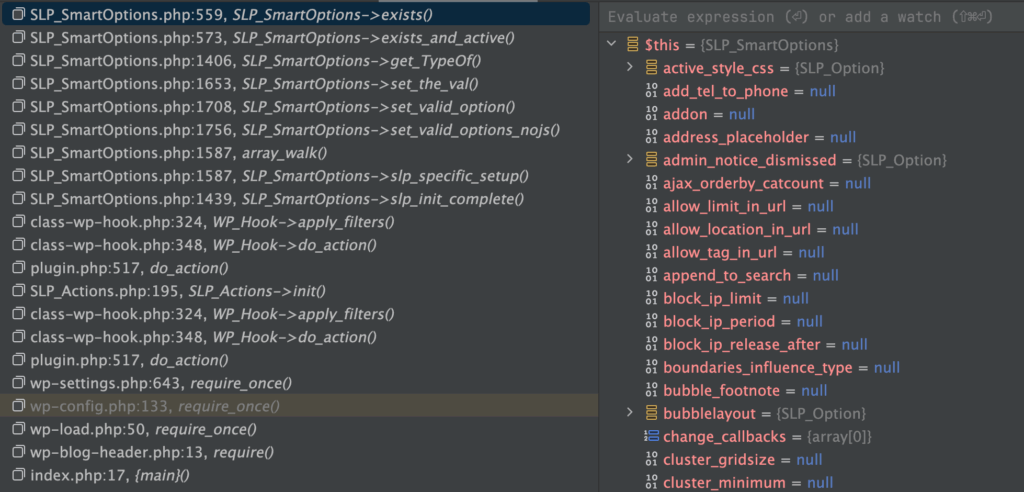
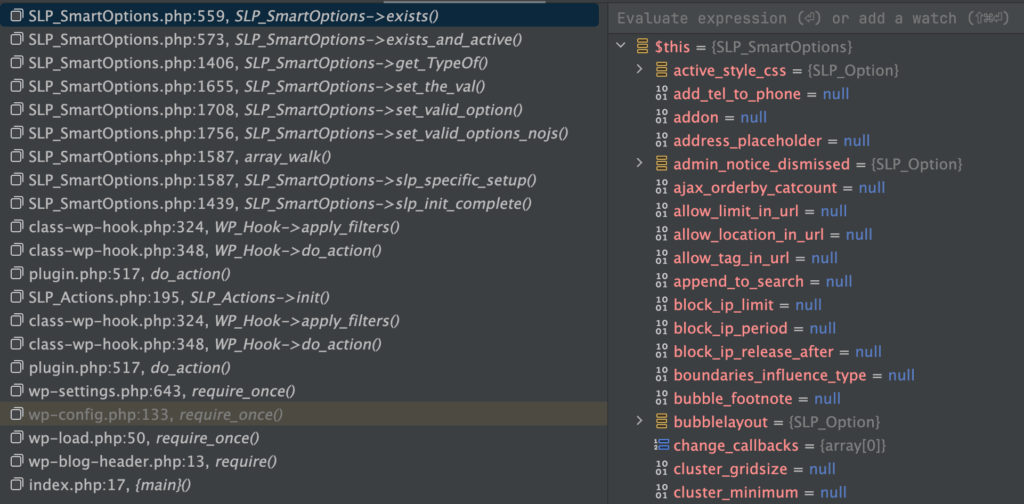
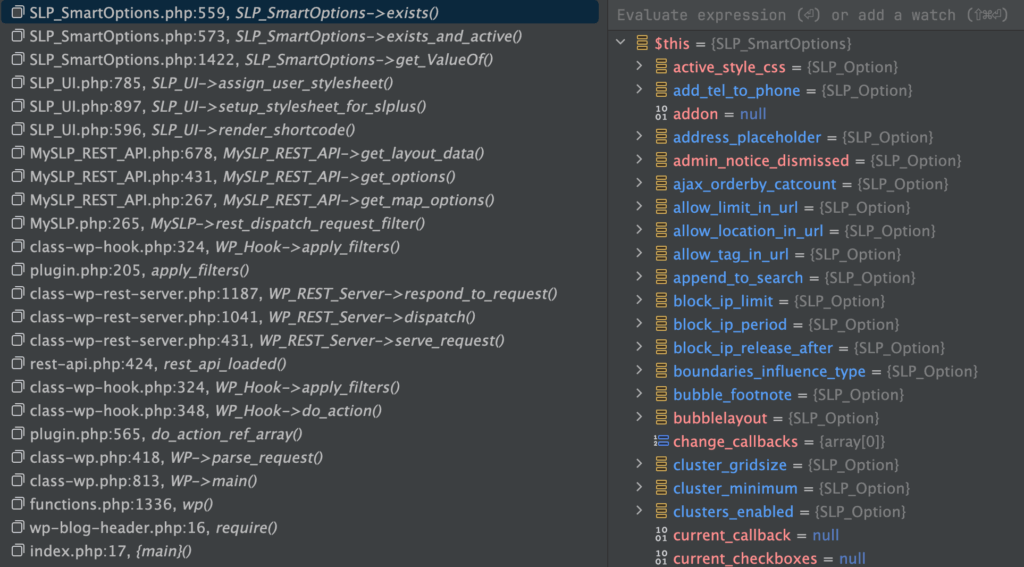
When tracing the settings for active_style_css, it looks like it is loading multiple times… need to investigate later for possible performance improvements.
Central PA food bank issue Zip code for Harrisburg PA returns incorrectly or no results , V 2503-06
We are currently having an issue where Harrisburg PA Zip codes 17110, 17123, 17124,17125, 17130 when searched using our MYSLP map to locate food resources is returning a home point that is not in the correct area, 17110 returns to somewhere in Washington state, and the others are showing as out of the country which is also not correct. Please advise how to address this. The map with the issues is located at https://www.centralpafoodbank.org/find-help/find-food/.

Interestingly we had the same thing happen Jan 31, 2024
Going to Cron : User for Super Admin generates an error.
Deprecated: Using ${var} in strings is deprecated, use {$var} instead in /var/www/html/wp-content/plugins/myslp-customer-maintenance/include/MySLP_Cron_List_Table.php on line 226
Resolved in Customer Maintenance 2503.06.01 Performance 2503.06.01
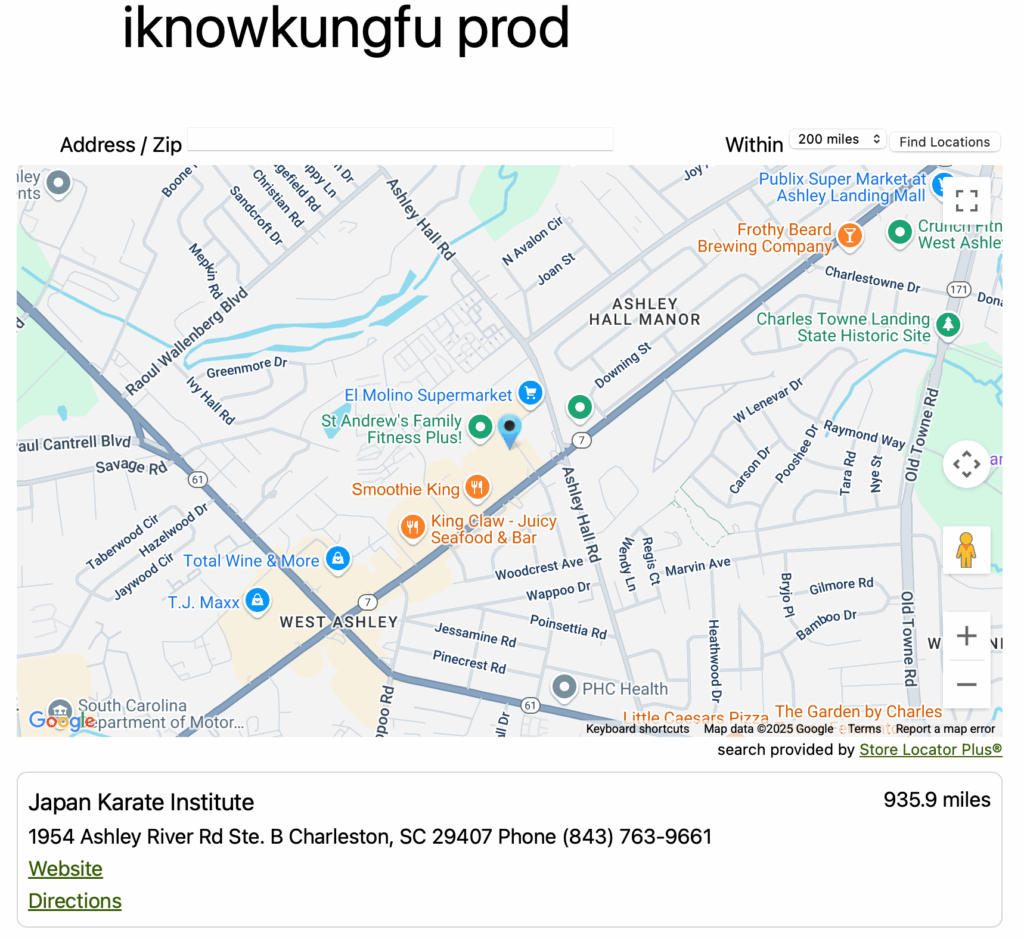
Once logged in a preview of the map without generate embed is available by going to the main dashboard page (https://dashboard.storelocatorplus.com) to view the embed on a basic page template.
This page outputs a direct embed script include in the HTML with minimal page processing from within the SaaS platform. This should be very close to the display on a generic website with minimal styling.
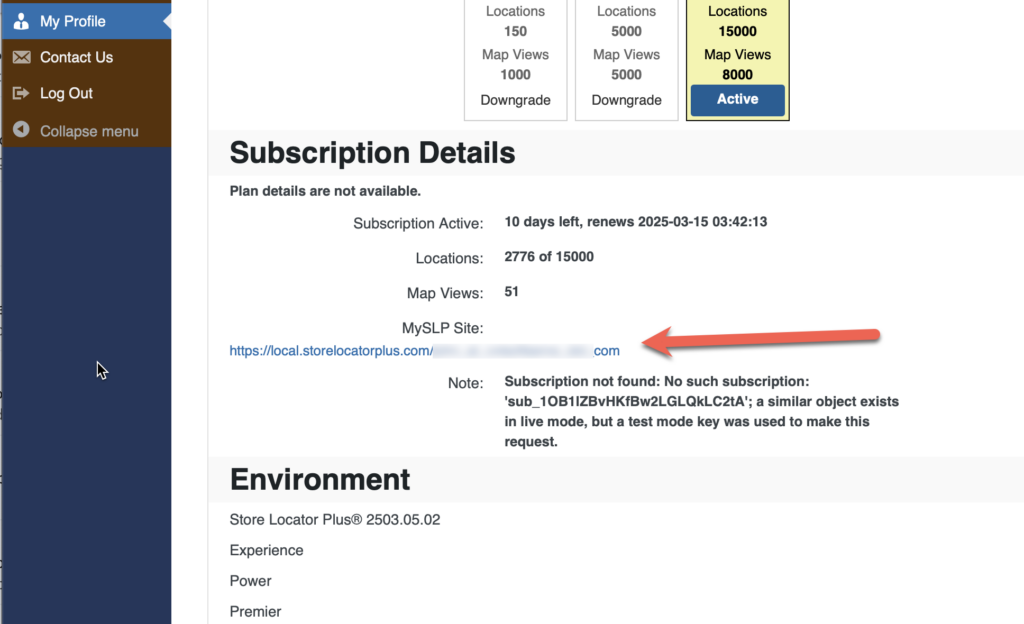
You can also find the URL for this preview in the My Profile section under “MySLP Site”.