The ultimate objective for the project is to have AI write clear and concise end-to-end (E2E) test specifications in Cypress.IO.
Unlike standard PHP and JavaScript, which AI has become fairly proficient at when writing new code, it turns out writing Cypress test specifications appears to be a new challenge for AI. It is likely due to the fact that things like Cypress specifications are built on a myriad of higher level JavaScript layers, frameworks to be more precise, that are combined in novel ways. The AI has far less training with these models as few companies write E2E test cases for their applications and of those that do few publish online. These extra layers of logic also rely on some knowledge of the application output specifically the exact HTML structure that is rendered by the underlying SaaS application.
The theory we are testing in this research paper is that some AI models will be more proficient than others at writing complex Cypress.IO test specification. Our initial testing that led to this paper was the discovery that AI is straight up awful at writing Cypress test specifications. Even after multiple prompt revisions, AGENTS.md precursor rules to assist in writing better scripts, AI still struggles. We have yet to build an AI prompt stack that generates specifications that come anywhere close to a final proper specification.
This research is meant to find the best LLM as a foundation on which to build these prompt stacks.
The Prompt
@amelia - Cypress Test For Location Pagination

I need you to write a test in Cypress for the pagination feature that was published in the latest update.

In case you are not aware, the Cypress application and tests reside in this Content Root path:
* SLP_SaaS/Testing/myslp-cypress/cypress
  * ./e2e - existing e2e test specifications
  * ./fixtures - data fixtures for the tests
  * ./support - support files for the tests

For the pagination test, Cypress will need to:
- Register new accounts in case they do not already exist.
- Login to the newly registered (or pre-existing) enterprise account
- Delete all locations
- Add at least 4 locations
- Set the Initial Search Radius to 2500
- Set the Number To Show Initially value to 3
- Set the Number To Show value to 3
- Set the Enable Pagination to enabled by checking the checkbox
- Save The New Settings
- Go To The Generate Embed Page
- Scroll down to the list of locations below the map
- Verify the first 3 locations appear on the list
- Ensure the "More Locations:" text exists
- Ensure "More Locations:" text is followed by a clickable ">"
- Click the ">" link
- Verify the 4th location on the list exists as the first entry in the results

Hints on how to code each step and what to look for follows.

# Register New Accounts

There is a test that already exists for registering new accounts in the e2e test specifications. You can leverage that test to ensure that the accounts are properly registered and can be used for the pagination test.
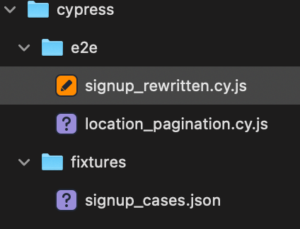
The test specification is signup_rewritten.cy.js
The test creates 3 new accounts, on for each plan available on the Saas platform.
The test may fail if an account already exists, which is likely if prior tests have executed that use this same script.

# Login to the Enterprise Account

The username and password are in the signup_rewritten.cy.js as hard-coded data.
The data is stored in the signupCases variable.
It is probably prudent to extract this information to a fixture.
If you choose to extract that to a fixture, update the signup_rewritten.cy.js script to use the same fixture.

# Delete All Locations

There should already be a testDeleteAllLocations function available in these Cypress tests that can be used here.

# Add 4 locations

There should already be a testAddBaselineLocations function available in these Cypress tests that can be used here.
The fixture, addresses_baseline.json, should already have at least 4 locations listed.

# Settings

All settings noted here are on the same user interface.
- Set the Initial Search Radius to 2500 (data-cy attribute options[initial_radius])
- Set the Number To Show Initially value to 3 (data-cy options_nojs[initial_results_returned])
- Set the Number To Show value to 3 (data-cy options_nojs[max_results_returned])
- Set the Enable Pagination to enabled by checking the checkbox (data-cy options[pagination_enabled])

The path to get to those settings:
* Click Settings in the sidebar menu
* Click Results in the top of page menu

Keep in  mind some interface elements may be outside the current visible viewport on the page.

The save button should be clicked after making the settings changes. (input type submit class button-primary)

# Generate Embed

Click this entry in the sidebar menu.

Wait for the page to load and the XHR/Fetch call to ttps://staging.storelocatorplus.com/enterprise_at_storelocatorplus_dot_com/wp-json/myslp/v2/locations-map/search to return results.

The returned result should include the initMySLP() with a JSON object within.
That JSON object should have a data.response property that is an array of JSON objects containing at least the first 3 locations in the address fixture.

After the XHR/Fetch has returned, the locations should appear in side the div with class results_wrapper within its inner HTML.

Each location should be in a div with class results_entry.

# Click the ">" to test pagination

Clicking the > should fire and XHR/Fetch to https://staging.storelocatorplus.com/enterprise_at_storelocatorplus_dot_com/wp-admin/admin-ajax.php

This should return a result with a JSON data payload.

The payload should contain an element with a key 'response' that contains the fourth location.

After the XHR/Fetch has returned, the fourth location should appear in side the div with class results_wrapper within its inner HTML.

Each location should be in a div with class results_entry.
Junie : Gemini 3 Flash
Failed the test early.
From Enterprise login.
cy.visit() failed trying to load:
https://local.storelocatorplus.com:443/undefined?page=myslp-dashboard
The response we received from your web server was:
> 404: Not Found
This was considered a failure because the status code was not 2xx.
If you do not want status codes to cause failures pass the option: failOnStatusCode: false
Junie : Claude Opus 4.6
This combination failed very early in the specification run. When adding the first location the AI wrote a cy.filter() that tried to access a DOM element that does not exist.
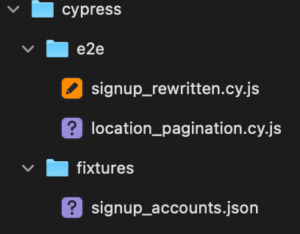
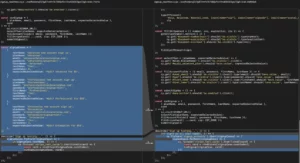
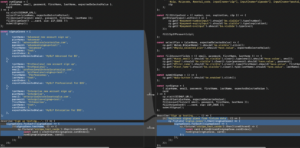
The creation of the signup_accounts JSON fixture is a good move as it rewriting the “Sign up testing…” loop in signup_rewritten.cy.js
Junie : GP5-5.3-Codex