Locations Management – The Location Details Page
The update from the legacy and very outdated PHP-based WordPress table to modern React based interface design has happened.
This is the first iteration with other changes planned in the coming months.
Here are some of the updates including some changes from the July release that are already online.
Retooled Quick Search
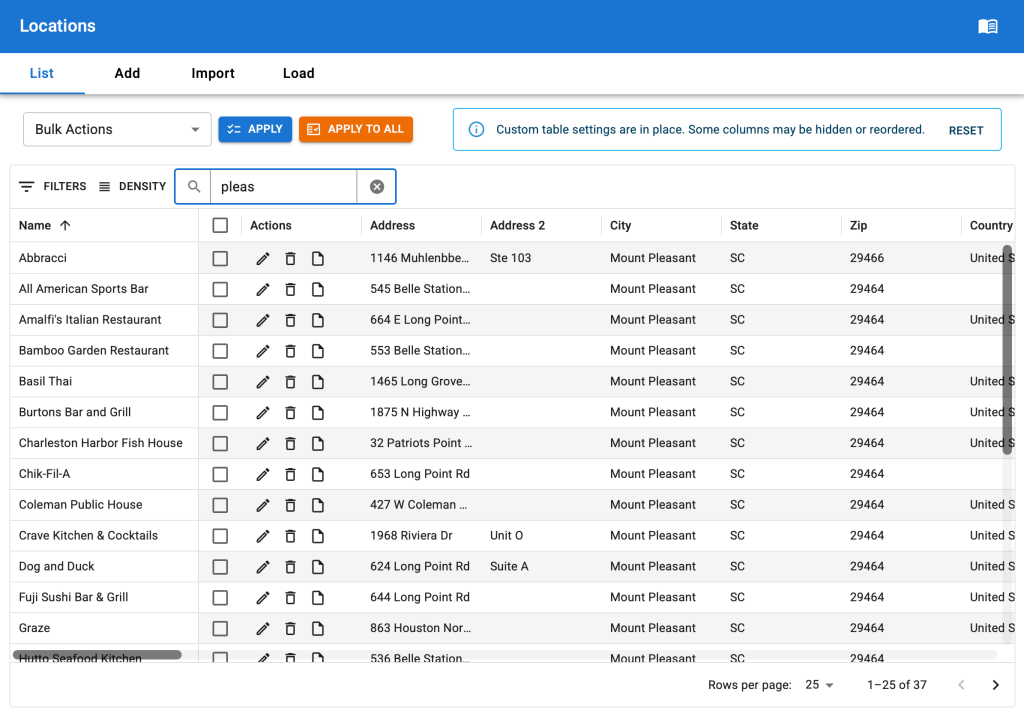
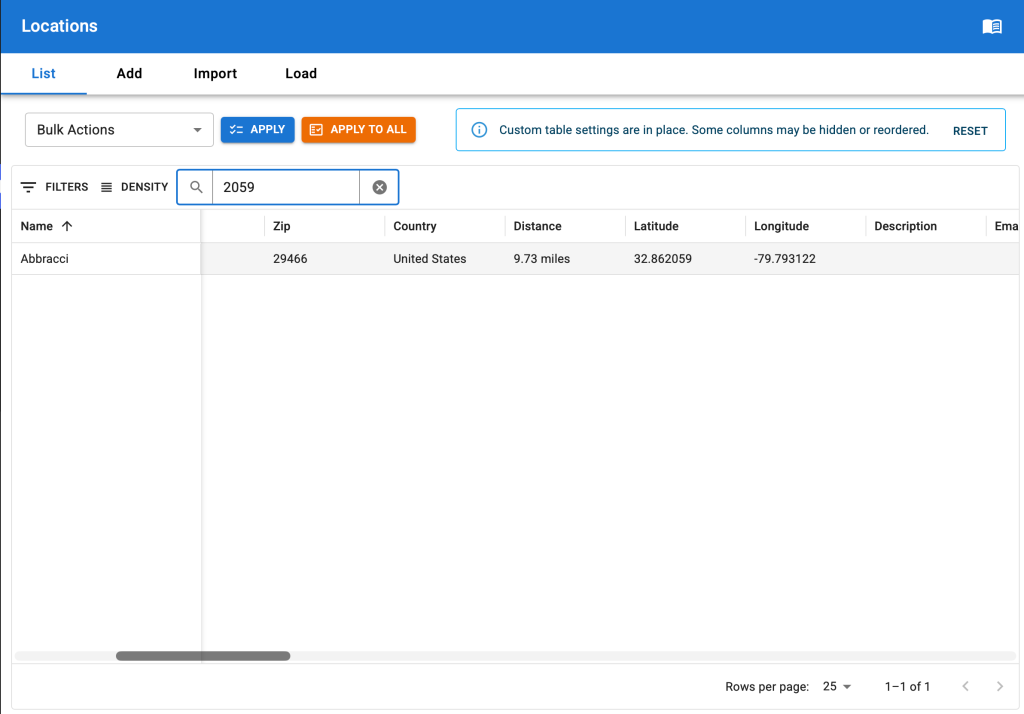
We’ve completely retooled the quick search feature.
It still searches across multiple fields, but it now searches across all text fields in the location set not only the name and primary address fields. And it is fast. Much faster than past iterations.
Filter Locations
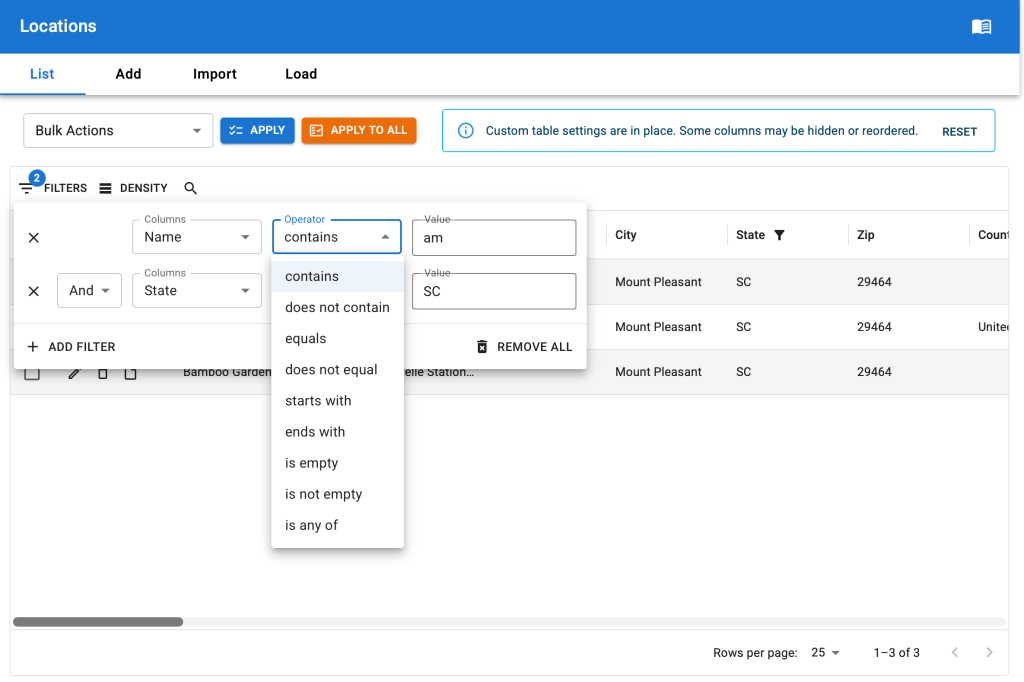
Complex filters can be built on locations. All of the filters we had with the previous filters drop down menu are still available, plus dozens of additional options.
The filters apply across the entire data set with response times that are vastly improved over the prior versions. Large sets of locations can now be filtered with ease.
Built a wide variety of logic combinations for any location data field.
Data matching options include:
- contains | does not contain
- equals | does not equal
- starts with
- ends with
- is empty | is not empty
- is any of
All fields can be combined with AND or OR logic to display specific locations.
Change The Column Layout
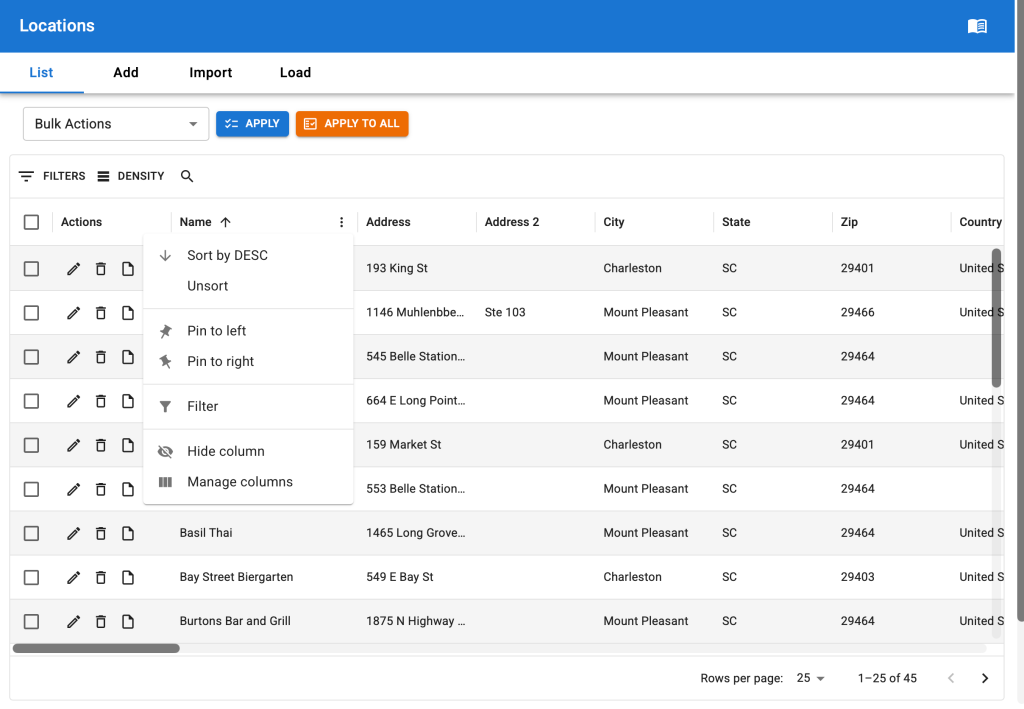
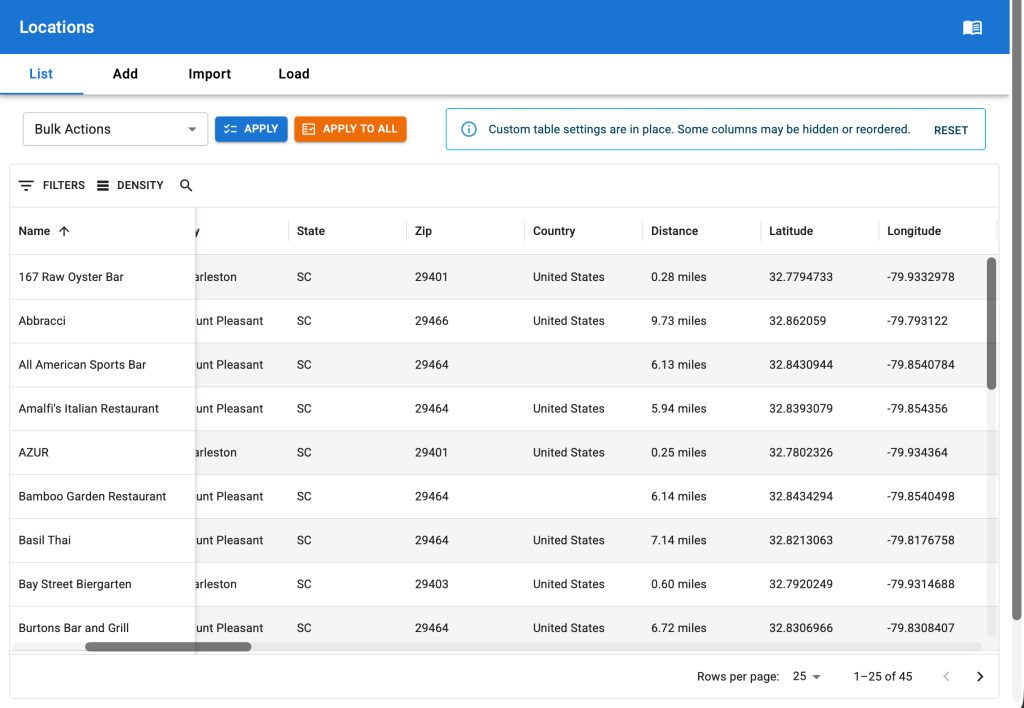
A myriad of options are now available for how you see your data on the locations list.
- Sort columns in any combination.
- Drag columns to reorder them.
- Pin columns to the left or right of the table.
- Hide columns.
The best part is Store Locator Plus® remembers your customization between sessions. No more re-sorting or changing column layouts every time you log back in or visit a different page. We’ve added a notification with an easy reset button in case you ever need to quickly get back to the default layout; Something we’ve found useful when we can’t remember which columns we’ve hidden.
Change The Row Density
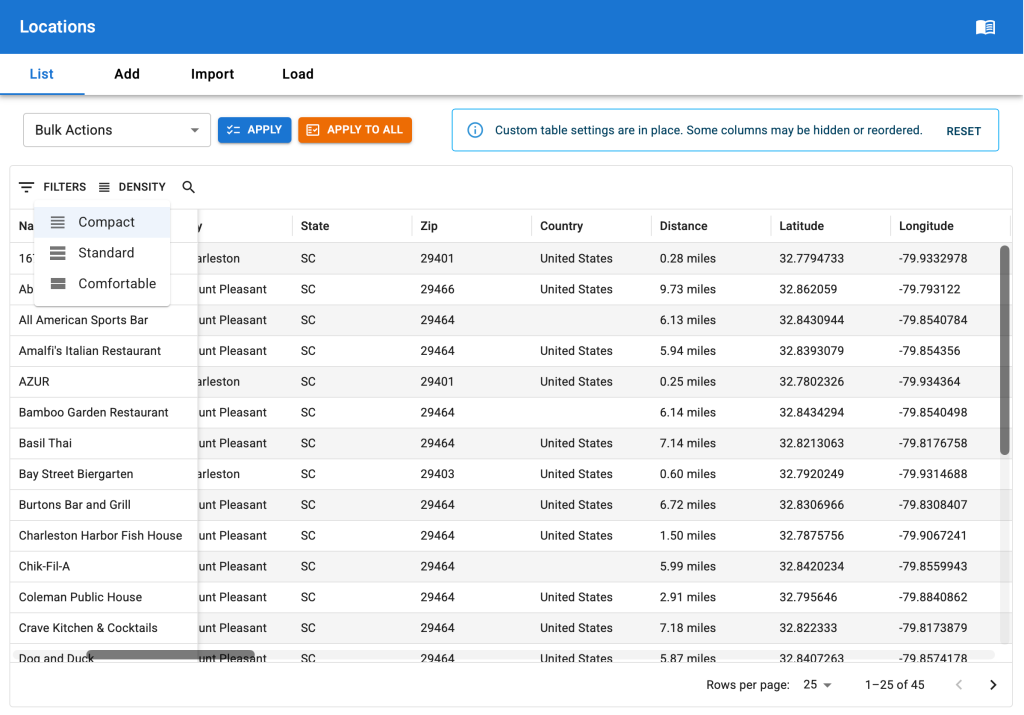
While more row management options (like grouping, ordering, etc.) are coming – for now we’ve given the basic option to set the height of the display with several row density options available: Compact, Standard, and Comfortable.